1. Download the latest version of the software from our downloads section.
2. Open the file you downloaded to begin the installation process.
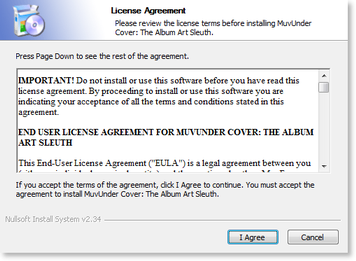
3. After reading the License Agreement and accepting the terms, click I Agree.
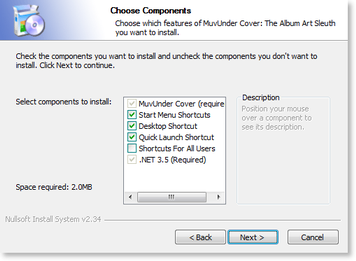
4. Select the optional components and then click Next.
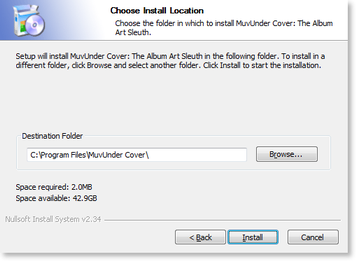
5. Specify the folder where you want the software to be installed and then click Install.
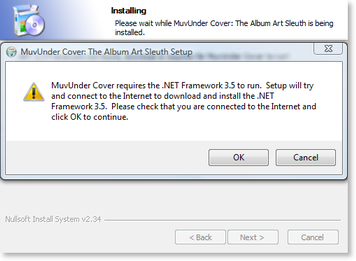
6. The installation process begins.
a. MuvUnder Cover: The Album Art Sleuth requires the .NET Framework 3.5 SP1. If the installer detects that .NET 3.5 SP1 isn't installed, it will prompt you to automatically download and install it. Click OK if you see the below prompt.b. When the .NET Framework 3.5 SP1 installer runs, please allow it to install by following the instructions provided in its installer. Depending on your system, .NET 3.5 can take a few minutes to download and install. Please be patient during this time. This installation only has to happen once on your system and will allow you to run all .NET 2.0, 3.0, 3.5, and 3.5 SP1 based software from any vendor.
7. The installation has been completed. Click on Finish to close the installer.
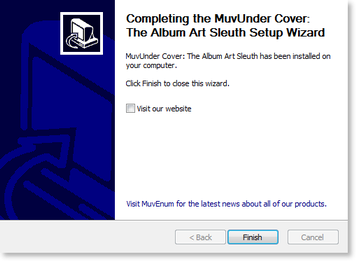
8. The software is ready to use. To start using the software, navigate to your Start Menu and click on MuvUnder Cover.